
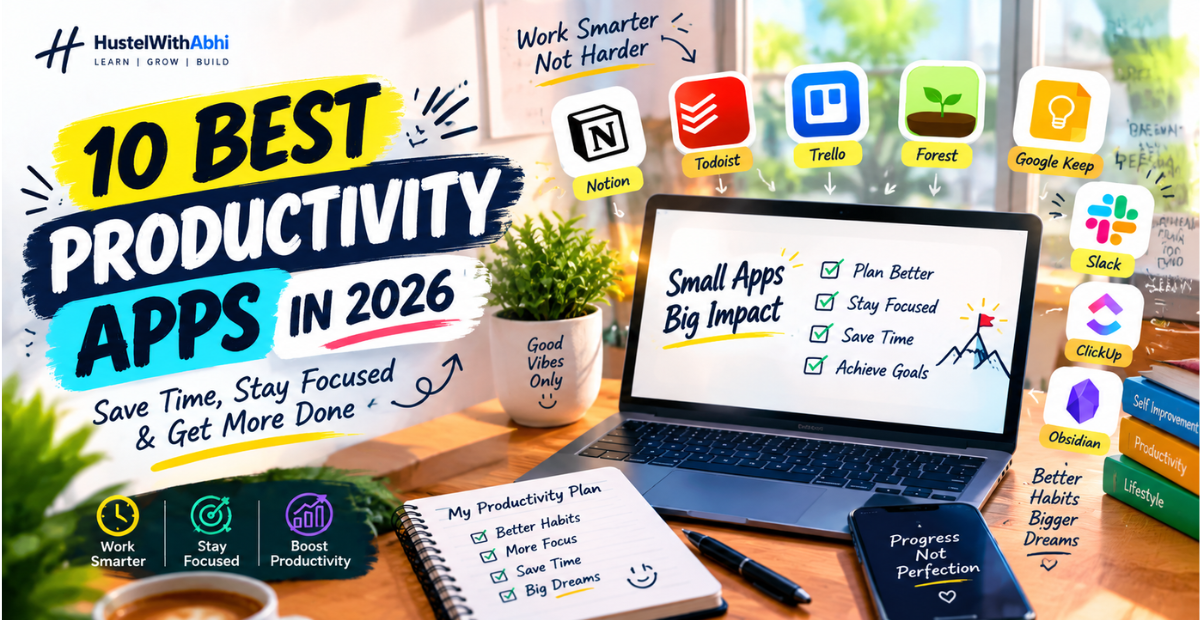
Feeling like your to-do list keeps getting longer while the day seems to get shorter? Between work, college, deadlines, messages, and everyday responsibilities, it’s easy to spend hours staying busy without actually getting the important things done.
That’s where the best productivity apps in 2026 can make a real difference. The right app can help you organise tasks, manage your time, stay focused, plan your day, and reduce the mental clutter that comes from trying to remember everything yourself.
But here’s the thing: you don’t need dozens of apps to become more productive. The right tool depends on what you’re struggling with—whether it’s missed deadlines, poor time management, distractions, scattered notes, or difficulty staying focused.
In this guide, I’ll share 10 productivity apps that can help you save time and get more done, along with what each app is best for and how you can actually use it in your daily routine. I’ve also included practical examples so you can quickly figure out which one fits your needs.
So, before you download another productivity app just because everyone is talking about it, let’s find out which tools are actually worth adding to your routine—and which one could solve your biggest productivity problem.
I use Notion to keep all my notes and projects organised.
Notion is a versatile productivity tool that organises our tasks, notes, and projects in one place.
Whether you are a student or a professional, this app improves your workflow as well as time management.
With the powerful features of the Notion app, you can easily manage your daily tasks, reminders, and collaborative projects.
This app is perfect for increasing our focus and efficiency. Overall, Notion is a productive tool that streamlines our work habits, making it a top choice in the list of best productivity apps.
Todoist: One of the Best Productivity Apps for Task Management

Easily manage your daily tasks, and there’s a tool that would be perfect for you. Todoist is the name of the tool. I’ve tried it; you should too. It will easily boost your productivity.
This tool is one of the best productivity apps. It’s very helpful in remembering our daily deadlines and also helps us set our priorities. Give it a try, and you’ll see for yourself.
It lets you categorise your personal and professional tasks, set reminders for important tasks, and track your progress.
Improve your focus or streamline your daily routine; Todoist is the perfect choice for you.
You can boost your efficiency like me by using its task management apps, to-do lists, and productivity tools.
Trello Makes Collaborating on Team Projects Really Simple
Trello is another highly productive tool that makes team collaboration and project management incredibly simple and engaging.
With its visual boards and cards, you can easily assign tasks, track your daily or weekly progress, and manage deadlines.
Your communication with your team members becomes smoother, and your workflow stays organised, whether you’re working remotely from home or working in the office.
The Trello tool is ideal for those who want to boost their productivity and efficiently manage their daily projects. I’ve tried this tool; you should try it too.
If you’re also exploring the best productivity apps that improve your focus and coordination, then Trello is definitely a smart choice for you.
For more interesting and insightful insights into productivity, visit our new blog. It covers everything from procrastinating all day to being productive all day. Check it out right now: Productivity at Work
Forest Helps Me Focus Better by Reducing Phone Distractions
Forest is also an amazing, productive app that helps us a lot, saves us from phone distractions, and improves our focus.
Whenever we plant a virtual tree in the Forest app and don’t use our phone while working, the tree grows.
This is a simple trick that helps you concentrate deeply and complete your most important tasks.
As one of the best productivity apps for your daily routine, Forest boosts your workflow and effectively improves time management skills.
This app is a perfect combination of focus apps, task management tools, and distraction-free productivity techniques.
Google Keep Lets Me Capture Quick Thoughts and Reminders Anytime
Google Keep is another tool that lets you instantly capture your thoughts, ideas, and reminders. Whether you’re a busy college student or a professional, this is one such app that can help streamline your productivity routine.
This is one of the best productivity apps where you can organise your notes, use labels and colours to easily keep track, and never miss your day’s most important tasks.
You may not realise it, but Google Keep’s simple interface and easy syncing feature ensure your notes are accessible on every device.
Improve your time management and focus on app collection; then, just like me, incorporating Google Keep into your daily habits is the best and smartest choice.
Evernote Keeps All My Ideas in One Place, So I Never Forget Anything
Evernote can also be the best tool for you. It’s a very useful tool. You, just like I do, want to manage your ideas, notes, and most important daily tasks in one place.
This app is versatile and allows you to easily organise your personal and professional notes. Want to increase your productivity? Evernote definitely belongs among the best productivity apps.
You can create your own checklists, reminders, and notebooks, which combine the features of task management apps and note-taking apps.
Whether you’re a student or a professional, Evernote makes your workflow smooth and efficient.
If you use this tool, you’ll never miss your creativity and ideas, and you’ll also be able to complete your daily tasks on time.
To be honest, you should use this app. I’ve tried it based on my own experience. You should try it. Your work and productivity will be boosted.
RescueTime Shows Me Exactly How I Spend My Day

RescueTime is also a great tool to boost your productivity. It’s a productive tool that accurately tracks how you spend your day.
Whether you’re in the office, a student, or a freelancer, this tool analyses your daily activities to show you which websites and apps you spend the most time on and where you spend the most time.
This gives you an idea of your time management and helps you avoid unnecessary distractions in your daily life.
I personally use it and can see which tasks are productive and which are just a waste of time. Boost your efficiency; this app is a perfect example of the best productivity apps that smartly improve your work habits.
ClickUp Helps My Team Manage Tasks and Deadlines Smoothly
This is the ClickUp app. It’s also one of the best productivity apps that helps teams manage tasks and deadlines efficiently.
ClickUp isn’t just a simple task management app; it gives you complete control to organise your daily projects, set your priorities, and streamline your daily workflow.
And yes, it’s also a team collaboration tool for your team, where members can easily assign tasks, track their progress, and communicate seamlessly.
If you want to improve your productivity and not miss deadlines, using one of the best productivity apps like ClickUp is a must.
This app is the perfect solution for everyone, from small teams to large organisations. Start using it in your daily life. I’m sure it will boost your productivity and focus.
Slack Makes Team Communication Easy and Organised

Slack is also one of the best productivity apps that makes team communication simple and organised. You can create your own channels and manage discussions for different projects or topics, eliminating confusion.
File sharing, quick messaging, and notifications keep your entire team’s workflow smooth and transparent.
And did you know that Slack’s integration feature allows you to easily connect with other task management apps like Trello and Google Drive, further enhancing your daily productivity?
Manage your team’s time efficiently and improve collaboration. Slack is the perfect solution for you. This is one of the best productivity apps that makes daily workflow effortless.
Obsidian: One of the Best Productivity Apps for Organising Your Ideas and Knowledge
Finally, the Obsidian tool is another great productivity app that organises both your ideas and notes into a connected knowledge hub.
If you systematically manage your learning, research, or personal projects, then Obsidian is a perfect choice.
This app gives you the power of knowledge management tools so you can easily link and categorise your thoughts.
It’s ideal for users who want to keep their information secure and structured in one place.
You can achieve better understanding and retention by quickly creating your notes and visually connecting complex ideas.
Improve productivity in your daily life, and then you should definitely try this best productivity app.
How to make a productive plan for the whole day.
What Are Productivity Apps and How Do They Help You Save Time?
Productivity apps are simple digital tools that help you manage tasks, organise notes, plan your day, track your time, and stay focused. Instead of trying to remember everything in your head, you can put your tasks and ideas into one place and work through them more clearly.
The real benefit of a productivity app is not that it magically makes you productive. It simply makes it easier to see what needs to be done and when you need to do it. This can save time that you would otherwise spend switching between tasks, searching for notes, remembering deadlines, or deciding what to work on next.
For example, a student can use a task app to remember assignments, while a blogger can use it to plan articles and track content ideas. The right app can make your daily work feel less scattered and more manageable.
How We Chose These Productivity Apps
We didn’t choose these productivity apps just because they are popular. A productivity app should solve a real problem and be simple enough to use regularly.
While selecting the apps for this list, we looked at factors such as ease of use, useful features, free availability, cross-device access, task and time management options, and how practical each app can be for students, creators, professionals, and everyday users.
We also considered something that is often ignored: whether an app actually helps you get your work done or simply gives you another dashboard to maintain.
The goal of this list is not to tell you to download all 10 apps. Instead, you can look at what each one does and choose the tool that matches your particular problem.
Which Productivity App Should You Use?
The right productivity app depends on what is currently wasting your time. If you constantly forget tasks or deadlines, a task manager like Todoist may be useful. If your notes, plans, and projects are scattered everywhere, Notion or Obsidian may make things easier to organise.
If your biggest problem is checking your phone whenever you sit down to work, a focus app such as Forest can help you create a distraction-free work session. For teams and larger projects, tools such as ClickUp or Slack can make collaboration easier.
You don’t need to use every productivity app you find. Start with one tool that solves your biggest problem and give yourself time to build the habit of using it.
Choose an app for the problem you have, not simply because the app is popular.
Best Productivity Apps for Students
Students usually need productivity tools for a few basic things: managing assignments, organising notes, planning study sessions, and avoiding distractions.
A simple setup can be more useful than downloading ten different apps. For example, you could use a task manager for assignments and deadlines, a note-taking app for study material, and a focus app when you need to sit down for uninterrupted study.
When choosing a productivity app as a student, look for something that is easy to understand, works across your devices, and has enough useful features in its free version. The best app is usually the one you will actually open and use every day.
Best Productivity Apps for Time Management
If you often feel busy throughout the day but still don’t finish the important work, a productivity app can help you understand where your time is going.
Task-management apps can help you decide what needs to be done, while time-tracking and planning tools can show you how you are actually spending your hours. This makes it easier to notice habits such as spending too much time on small tasks, checking notifications repeatedly, or delaying important work.
But remember, time management is not about filling every minute of your day with tasks. It is about making enough time for the things that actually matter.
Best Productivity Apps for Staying Focused
Having a to-do list doesn’t automatically mean you will stay focused. Sometimes the bigger problem is the number of distractions around you.
If you frequently check social media, reply to notifications, or pick up your phone whenever work becomes boring, a dedicated focus app can be more useful than another task-management tool.
Apps such as Forest can make a focused session feel more structured by giving you a simple goal: stay focused for a certain amount of time without getting distracted.
The idea is simple. Don’t try to work for hours at once. Start with one focused session, finish it, take a short break, and then continue.
Can Productivity Apps Really Make You More Productive?
Productivity apps can make your work easier to organise, but simply installing an app will not make you productive.
The real benefit comes from how you use the tool. A task manager can help you remember important work, a note-taking app can keep information organised, and a focus app can help protect your attention. But you still have to do the actual work.
There is also a point where productivity apps can become another distraction. You can spend an hour creating the perfect dashboard, changing categories, and testing new tools without completing the task that was on your list.
A simple system that you actually use every day is usually more useful than a complicated system that looks impressive but gets ignored after a week.
How Many Productivity Apps Do You Actually Need?
You probably don’t need ten productivity apps.
For many people, one task manager, one calendar or planning tool, and one note-taking or focus app can be enough. The exact combination depends on the type of work you do.
Before downloading another productivity app, ask yourself one question:
“What problem will this app solve that my current tools cannot?”
If you don’t have a clear answer, you probably don’t need another app yet.
Using fewer tools also means fewer notifications, fewer places to check, and less time spent maintaining your productivity system.
How to Use Productivity Apps Without Becoming Dependent on Them
Productivity apps should support your habits, not replace them.
Use your app to decide what you need to do, organise your information, and protect your focus. Then close the app and actually do the work.
For example, instead of spending 30 minutes designing a perfect daily planner, spend five minutes writing down your three most important tasks and start with the first one.
Don’t keep changing your productivity system every few days because you found a new app. Give your current system enough time to become a habit.
Technology should reduce friction in your day, not create another thing you have to manage.
Common Productivity App Mistakes to Avoid
Even a good productivity app can become useless if you use it the wrong way. Here are some common mistakes to watch out for:
- Downloading too many productivity apps at once
- Creating an unnecessarily complicated task system
- Adding more tasks than you can realistically finish
- Keeping unnecessary notifications turned on
- Spending more time organising tasks than completing them
- Using an app only when you feel motivated
- Constantly changing your productivity system
- Thinking planning is the same as doing the work
The purpose of a productivity app is to make your work simpler. If your system is making your day more complicated, it may be time to simplify it.
Frequently Asked Questions
What exactly are productivity apps and why do people use them?
Productivity apps are digital tools that keep your tasks, ideas, and time under control. People use them because life gets messy fast, and these tools quietly bring clarity without judging you.
Can productivity apps fix procrastination or is that just hype?
Not magic, but helpful. They create structure, reduce decision fatigue, and remind you to move. For chronic procrastinators (like I was), productivity apps feel like an accountability buddy that doesn’t shout.
Do productivity apps replace planners and notebooks?
Depends on you. Some people love the tactile feel of paper; others prefer digital because it syncs everywhere. Personally, I use both—apps for work, notebooks for messy midnight thoughts.
How do I know which productivity app actually fits my lifestyle?
Start by noticing your pain point. Forgetting tasks? Losing focus? Too many tabs? Once you know the real issue, pick the app that reduces that friction. Tools should adapt to you, not vice-versa.
Final Thoughts
So, these productivity apps aren’t about filling your day with more tools—they’re about making your existing time work better. Whether you want to manage your tasks, stay focused, organise your ideas, or build better habits, the right productivity app can make your daily routine much easier to manage.
You don’t need to start using all 10 apps at once. Pick the one that matches your biggest problem right now, use it consistently, and see how it fits into your routine. Sometimes, one simple tool is enough to save time and help you get more done.
The real difference, however, comes from how you use the app. A productivity tool can guide you, but your consistency and discipline are what turn it into real progress.
If you found this guide helpful, don’t stop here. Visit Hustel With Abhi to explore more practical articles on productivity, self-improvement, better habits, focus, and building a better life.
✨ Join 10k+ readers for free tips!
Subscribe & never miss a post 📩
1 thought on “10 Best Productivity Apps in 2026 to Save Time & Get More Done”